

BIZOMAT Project ManagementFormerly KEVOS Work
Projects, tasks and teams in one shared workspace.
BIZOMAT Project Management brings your projects, tasks, documents and dashboards into one place. Plan the work, assign it, track progress and automate the routine steps.
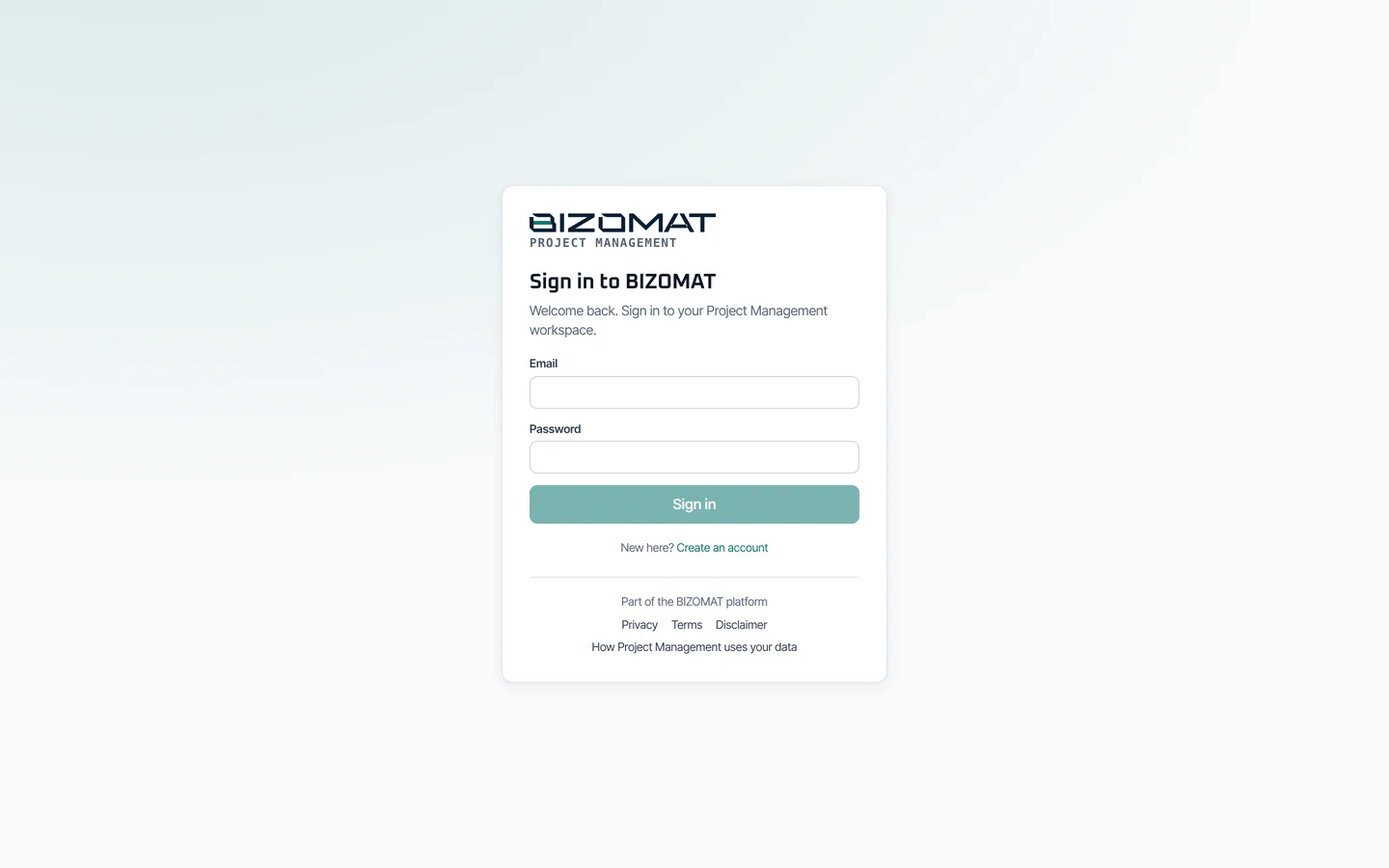
Sign-in required. Existing accounts keep working: sign in with the email and password you already use.
What it does
Plan it, assign it, track it, finish it
Projects, tasks, teams and the conversation around them, on one shared data model.
Boards for every project
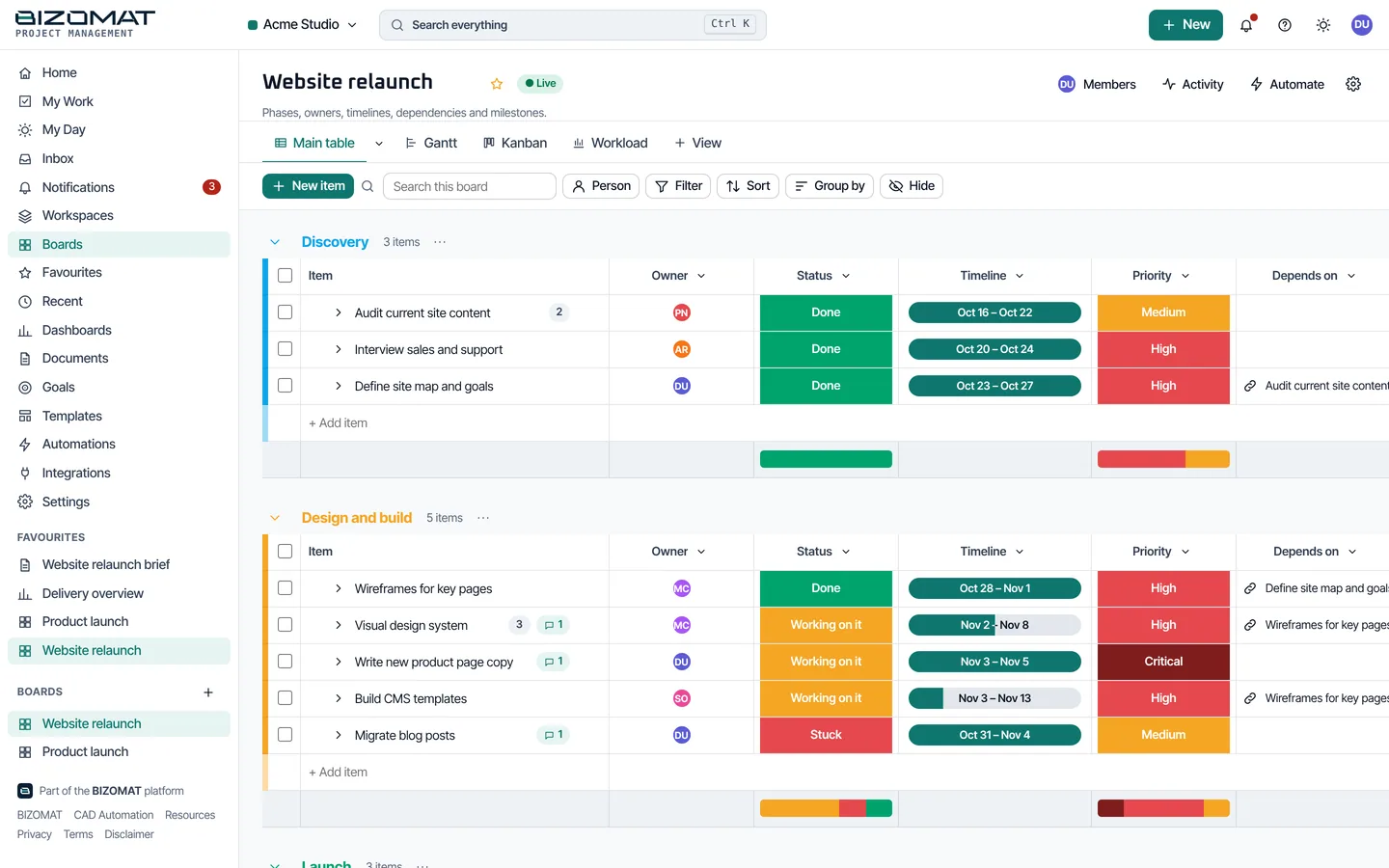
Groups, items and subitems with 25 column types: status, people, dates, timelines, numbers, formulas, files and more. Inline editing, drag and drop, bulk actions, templates.
Nine views of the same work
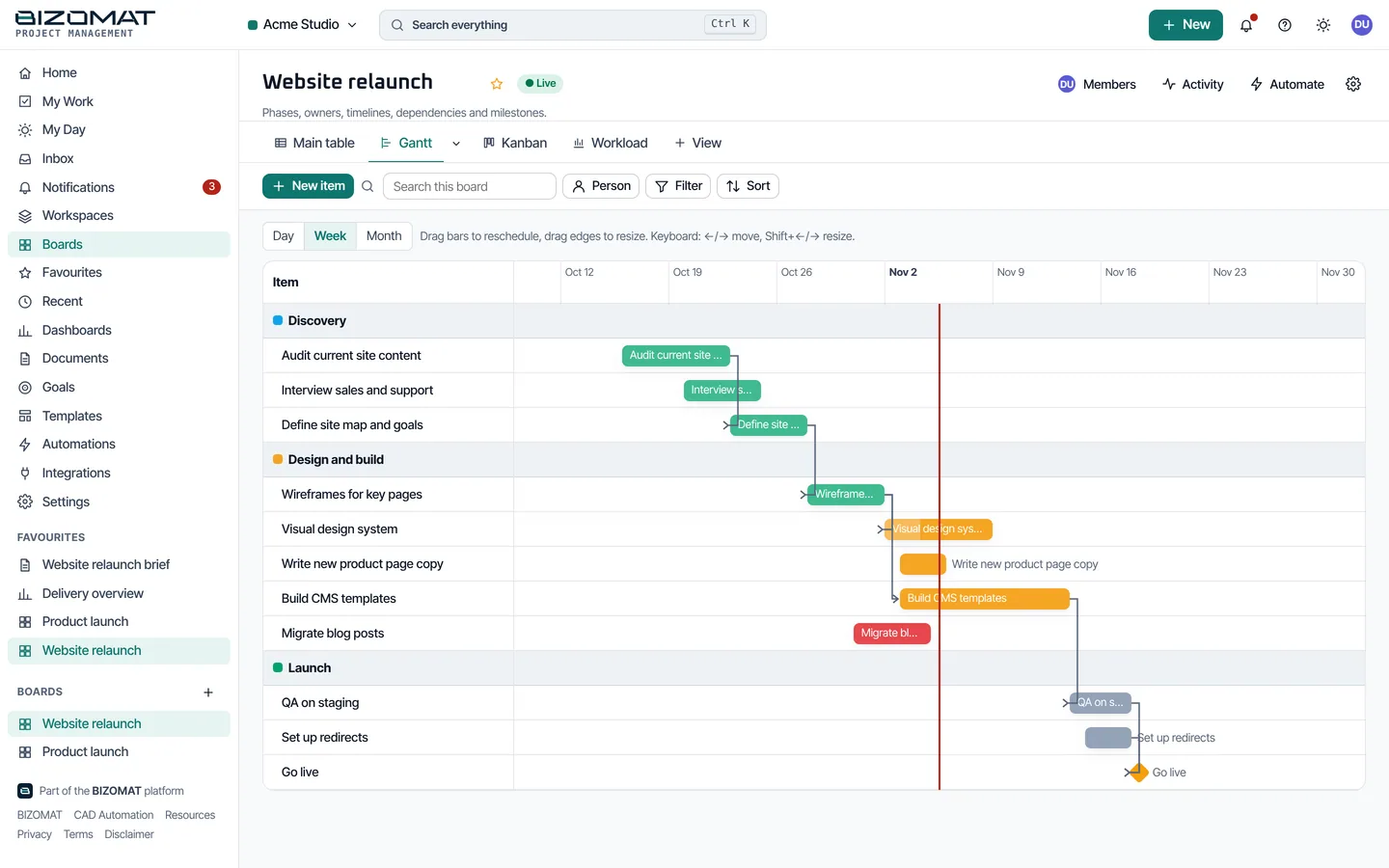
Table, Kanban, Calendar, Timeline and Gantt with dependencies and milestones, Chart, Workload, Form, Map and Files, all on one shared data model.
Teams and permissions
Workspaces with owner, admin, member and viewer roles, teams, invitations, private or shared boards, board roles and an audit log.
Collaboration
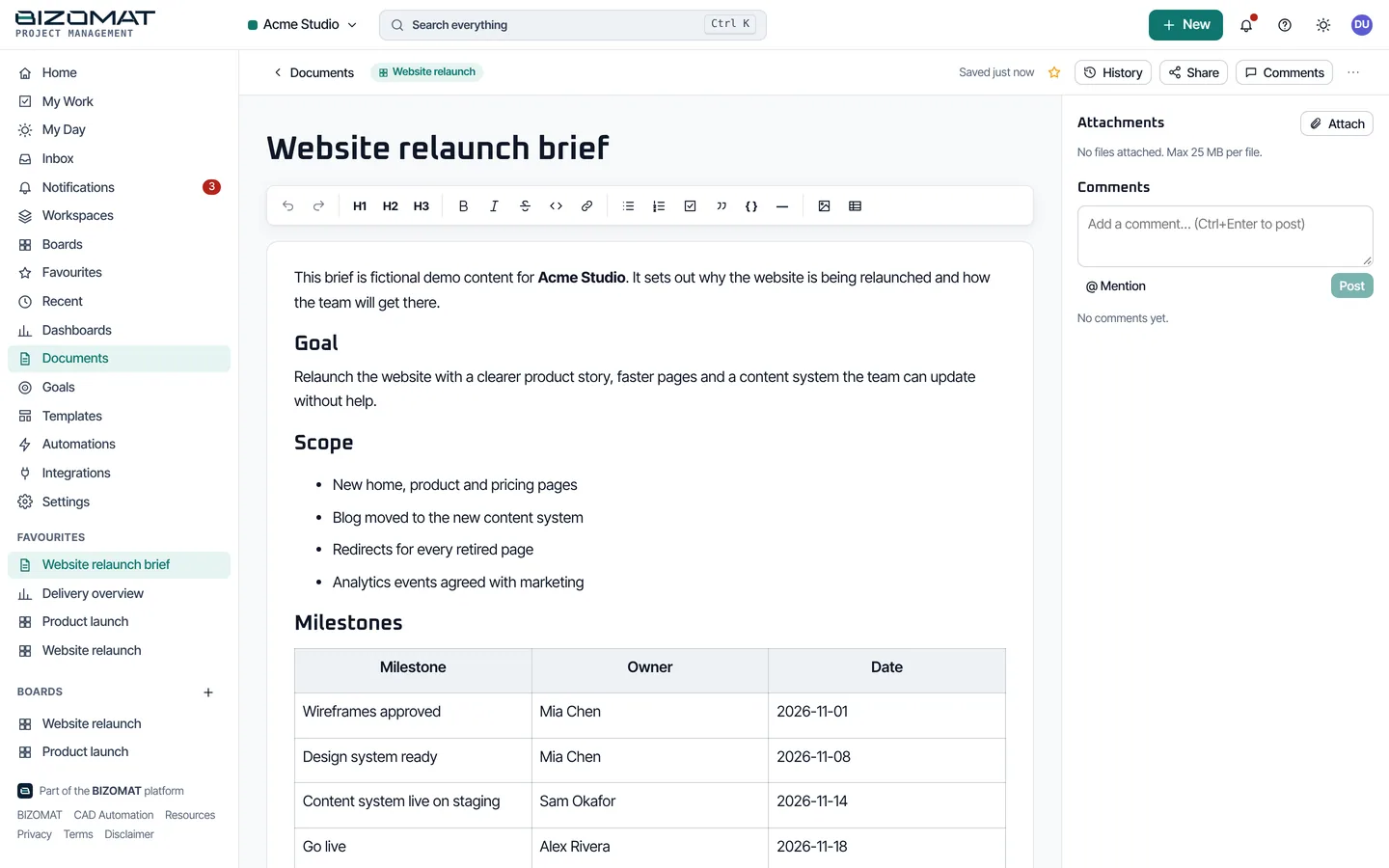
Updates and replies with @mentions, attachments, activity history, time tracking and linked documents on every item.
Automations
Trigger, conditions, actions: status changes, dates and schedules start work for you, with run logs, retries and loop prevention.
Dashboards, documents and goals
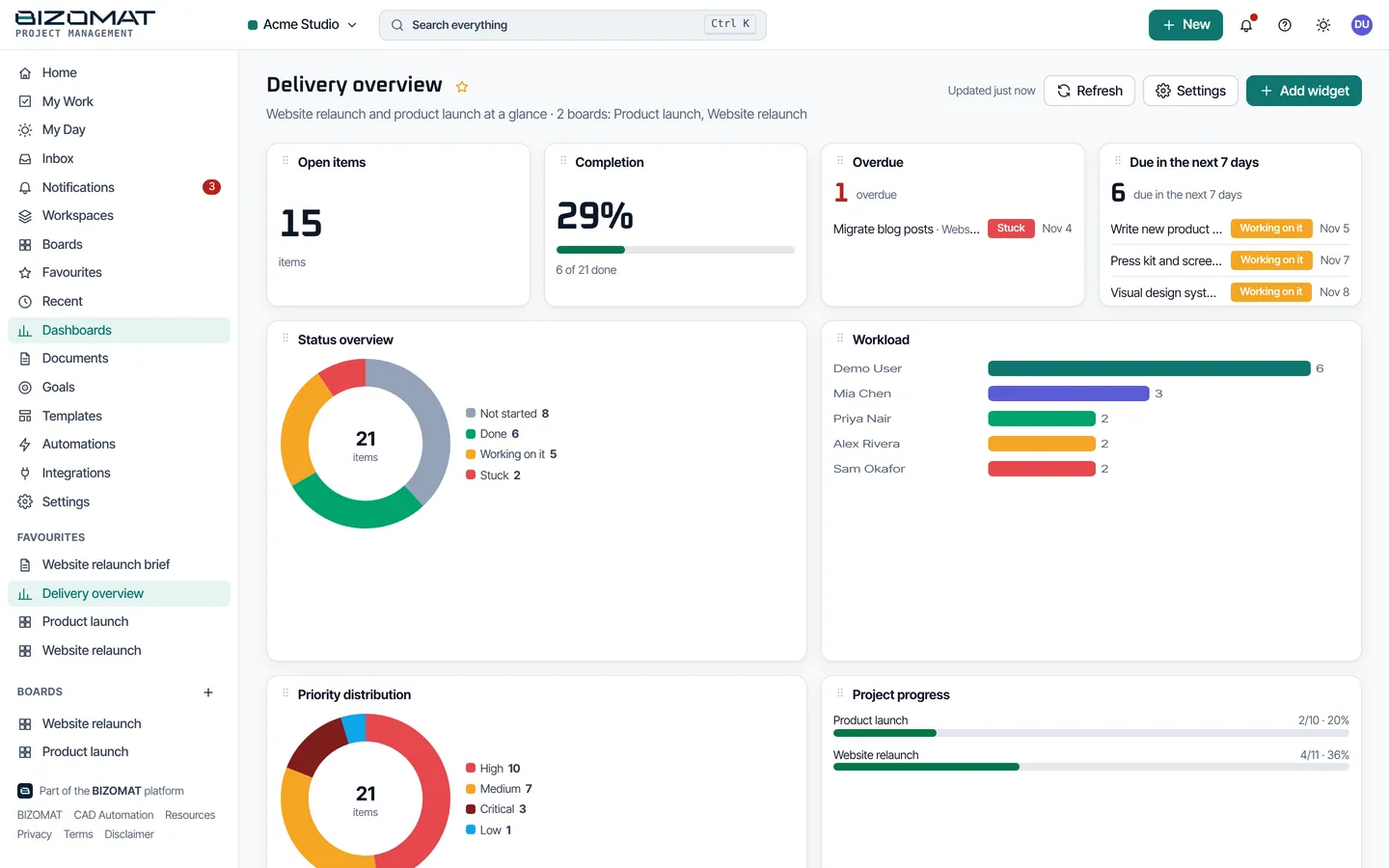
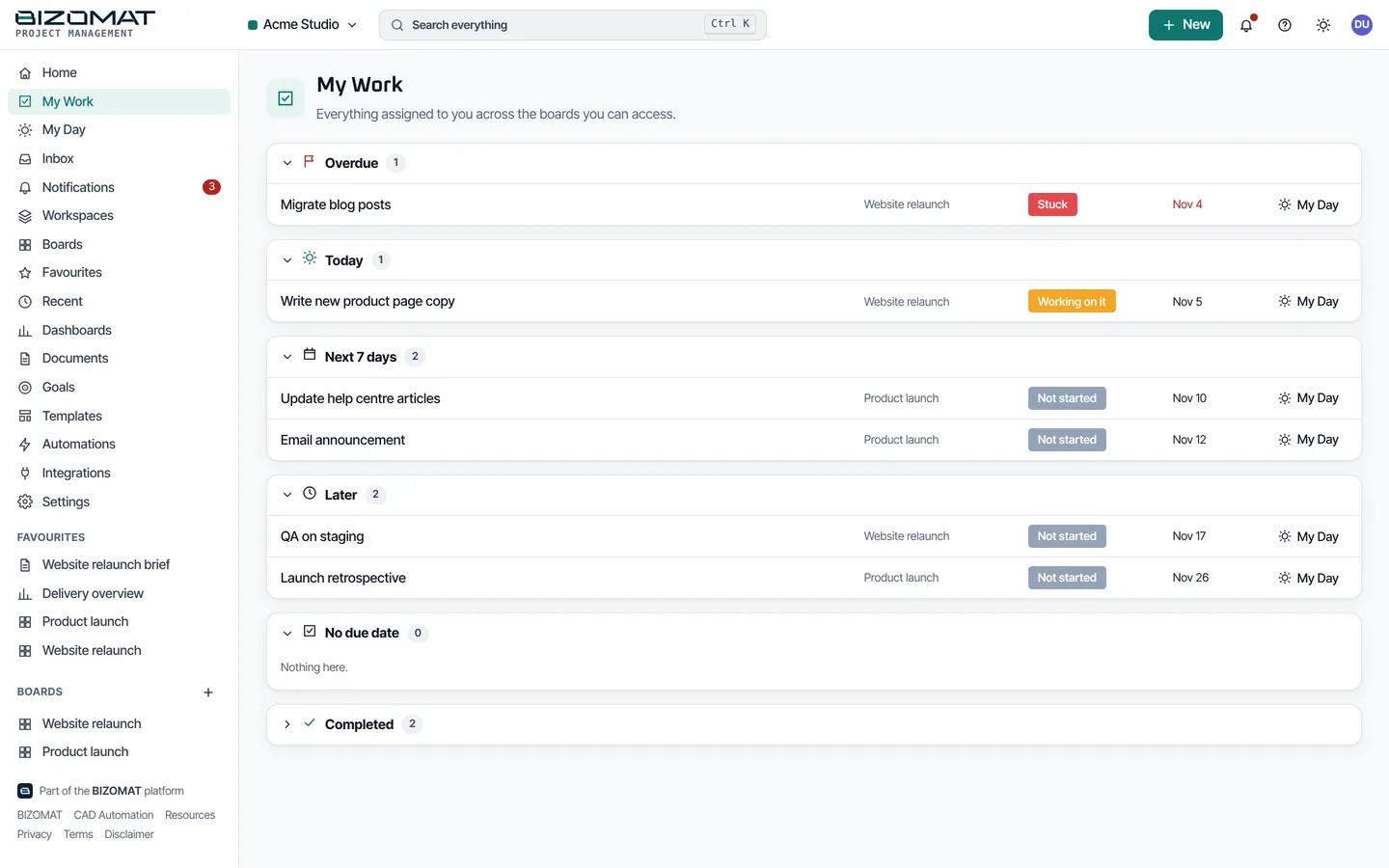
Eleven live widget types, rich-text documents with version history and comments, goals, My Work, My Day and a weekly planner.
Tracking progress
9 views of the same work
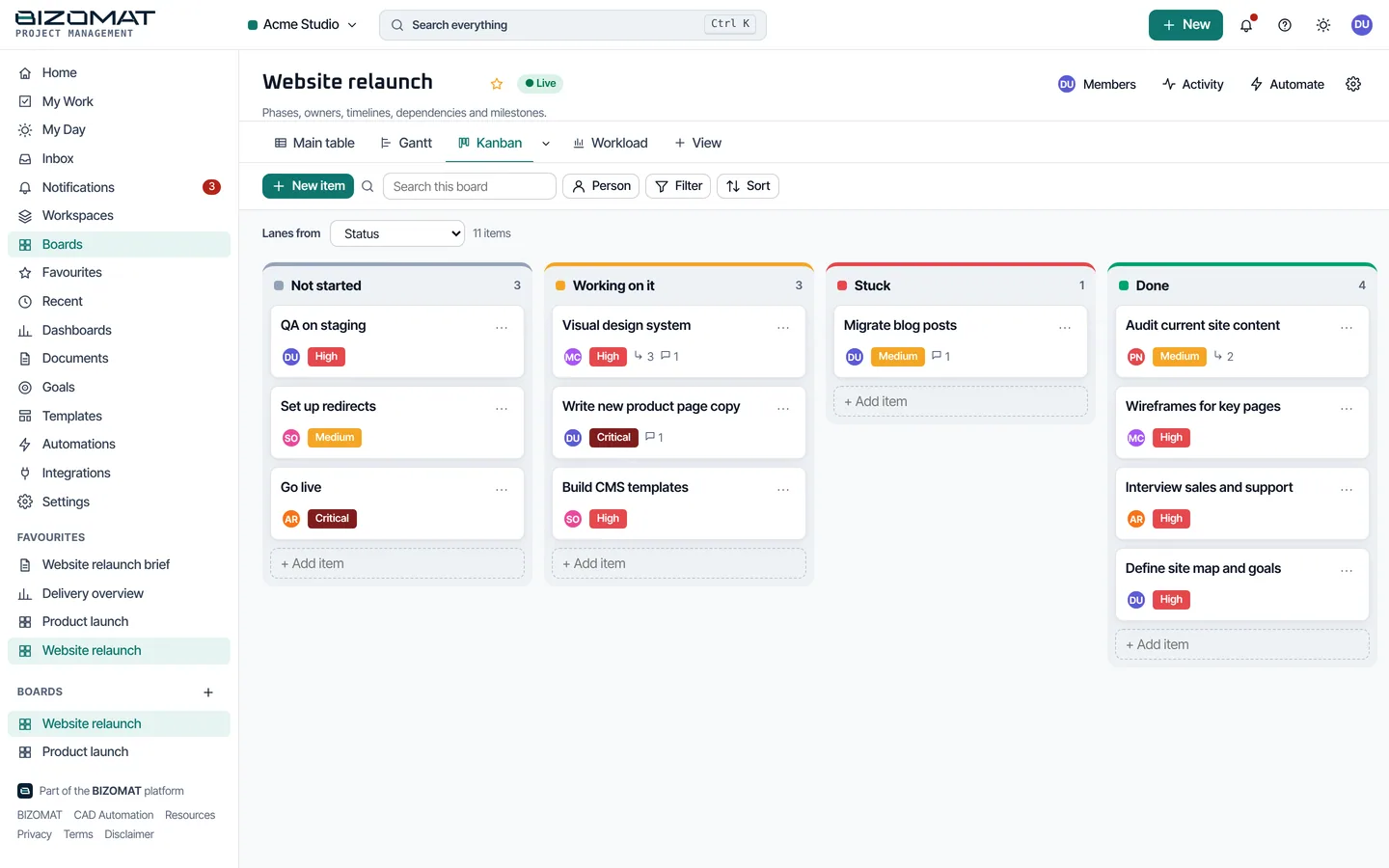
Change a status in the table and the Kanban, calendar and timeline follow, because every view reads the same items. Boards use 25 column types, from status and people to dates, numbers and formulas.
Table
Sort, filter with AND/OR, group, resize and hide columns, select in bulk.
Kanban
Drag cards between statuses.
Calendar
Month, week and day.
Timeline and Gantt
Dependencies, milestones, drag to reschedule.
Chart
Counts and sums from live board data.
Workload
Who has how much, and when.
Form
Collect new items from a form.
Map
Items with locations.
Files
Every attachment on the board.
The real product
Boards, views, dashboards and documents
Captured from the running application with example data.
Team management and work allocation
The right people on the right work
Workspaces and roles
Owner, admin, member and viewer roles per workspace, with board roles and private or shared boards.
Invitations and teams
Invite people with a link, group them into teams, and give each item an owner, a status and a date.
Audit and export
An audit log of changes and a JSON export of a workspace for its administrators.
Collaboration
The conversation stays with the work
Updates on every item
Updates and replies with @mentions, so the conversation stays with the work.
Files and documents
Attachments on items, and rich-text documents with autosave, version history, comments and links to boards.
Notifications
Assignment, mention, reply, status change, due soon and overdue, with your own preferences.
Time and planning
Time tracking on items, My Work, My Day and a weekly planner.
Organising business activities
Automations move routine work forward
Choose a trigger, add conditions, pick actions. Status changes, dates and schedules start work for you; every run is logged once, failures are retried, and chains cannot loop.
Dashboards, goals and planning
See the whole portfolio at a glance
11 dashboard widget types compute from live board data, with filters and date ranges. Goals track progress by hand or from boards.
Integrations
Signed outgoing webhooks and incoming webhooks for Slack and Microsoft Teams. Personal API tokens. Google sign-in when it is configured.
Google Drive, Calendar, Gmail and GitHub appear in the app as "requires setup": they are not connected until they are configured.
Accounts and security
Your projects are visible only to your workspace
- Email and password sign-in with secure session cookies, CSRF protection, rate limits and lockout.
- Google sign-in where it is configured, and personal API tokens for integrations.
- Every query checks the workspace and board you belong to; one workspace never sees another.
- Sessions you can list and end, and a founder console for the platform administrator.